
The first one demonstrates the method and shows it in action: in particular, this one shows how you can collect the Body, Arm and Headless Base Pose from each base pose. While it's not all you can do, I think a majority of animators will mainly just be using these three things for a majority of their rigging.
[MEDIA=youtube]qKYpUrFVLEk[/MEDIA]
The second one showcases this method further by showing the FULL process of rig organizing and setup, unedited to give people a good idea of how long it might take to fully set up your rigs. In addition to the three things the first video shows, this video also shows the process of collecting a very important base pose variant for rigging, the Armless Base Pose. This isn't really a video that you can really watch and study (due to how much of it is just showcase, no explanation), more just something to use as an example of this method being used.
[MEDIA=youtube]V_JRqBcpYxw[/MEDIA]
I've found this method to be what I personally find the most efficient (and it also just works well for me), but I am aware of other animators collecting all of these rigs in a separate sheet, like this example below from Shulkle's sheet:
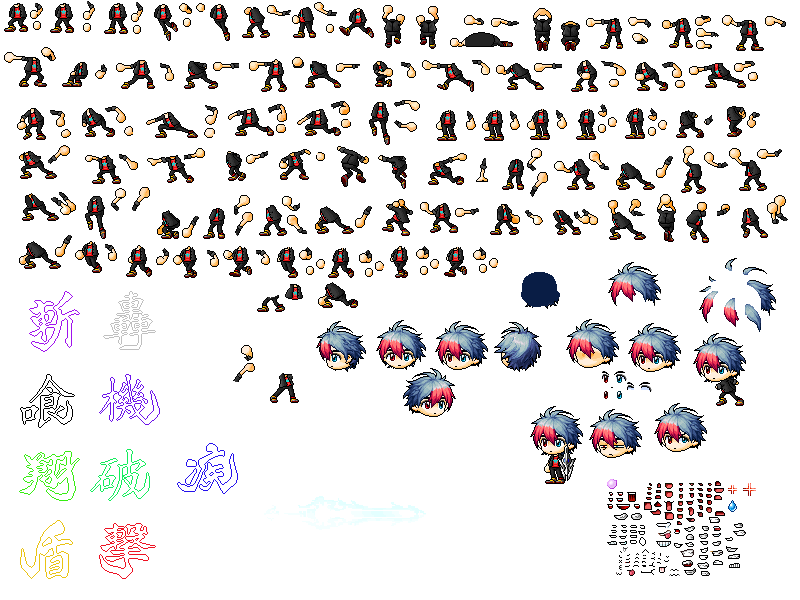
At the end of the day, I think it just depends on the type of person you are; for myself in particular, I like to have all of my sprites and stuff in Animate rather than have it all on a separate sheet, which is why I prefer doing this method for my rigs. I hope this is somewhat helpful to someone though, as I did notice how little rigging-relating content there is for Maplestory in general.